October 28th, 2025
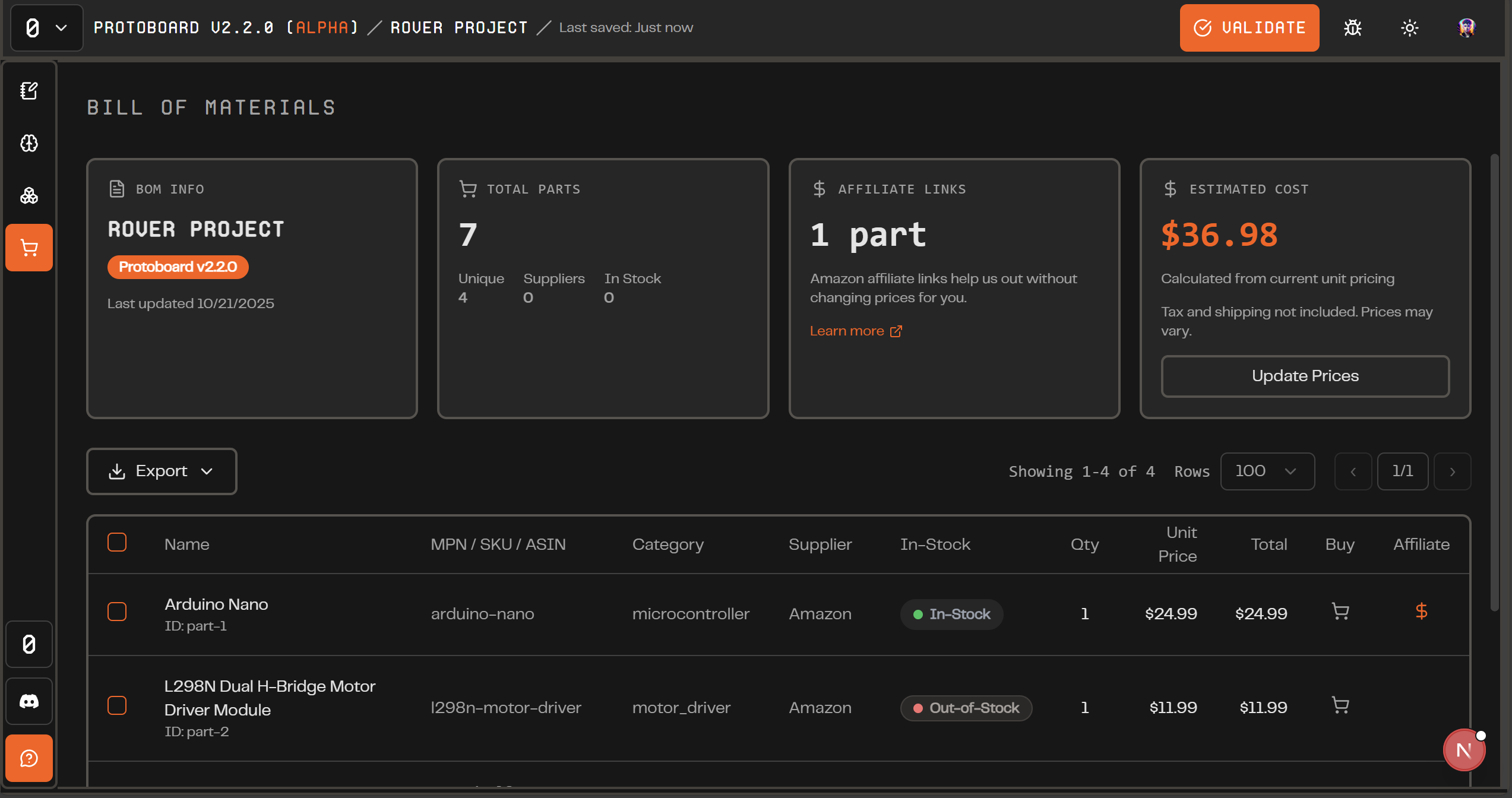
Alpha v2.2.0 "Bill Of Materials"
In this version, we bring you a new Bill of Materials view to export your project after you design it! You can export a parts list and now a screenshot of your diagrams. We are also excited to debut a new sign in flow for alpha.
New Features
Bill of Materials: You can now export your entire parts list as a CSV or PDF. Each row includes Name, MPN/SKU/ASIN, Category, Supplier, In-Stock status, Quantity, Unit Price, and Total—complete with vendor links and live pricing when available.
Screenshot Tool: One click captures your entire board. Perfect for documentation, sharing progress, or explaining how a design fits together—no more third-party screenshots.
Sign in Improvements: We rebuilt the entire authentication system. Protoboard now runs alpha testing in batches, each with a unique activation code to access the latest features. The new flow is simple: email → code → enter (or sign up).
“Add first Part” UI Update: A friendly new button appears when your board is empty, guiding you straight to the Part Bin to add your first component and start building faster.
Bug Fixes
Some of the UI colors have been fixed to align with our theming properly
Next Steps
We see a gap in our ability to represent all parts that can exist, so we are making some updates that will allow our users to add custom parts more easily and manually represent their system without needing to rely on our smart Protopart definitions, which are limited to <60 parts. We hope that soon every system diagram will be representable in Protoboard, even if we do not have the parts in the library with full support for you to manually configure connections, pins, BOM info, etc.