April 10th, 2026
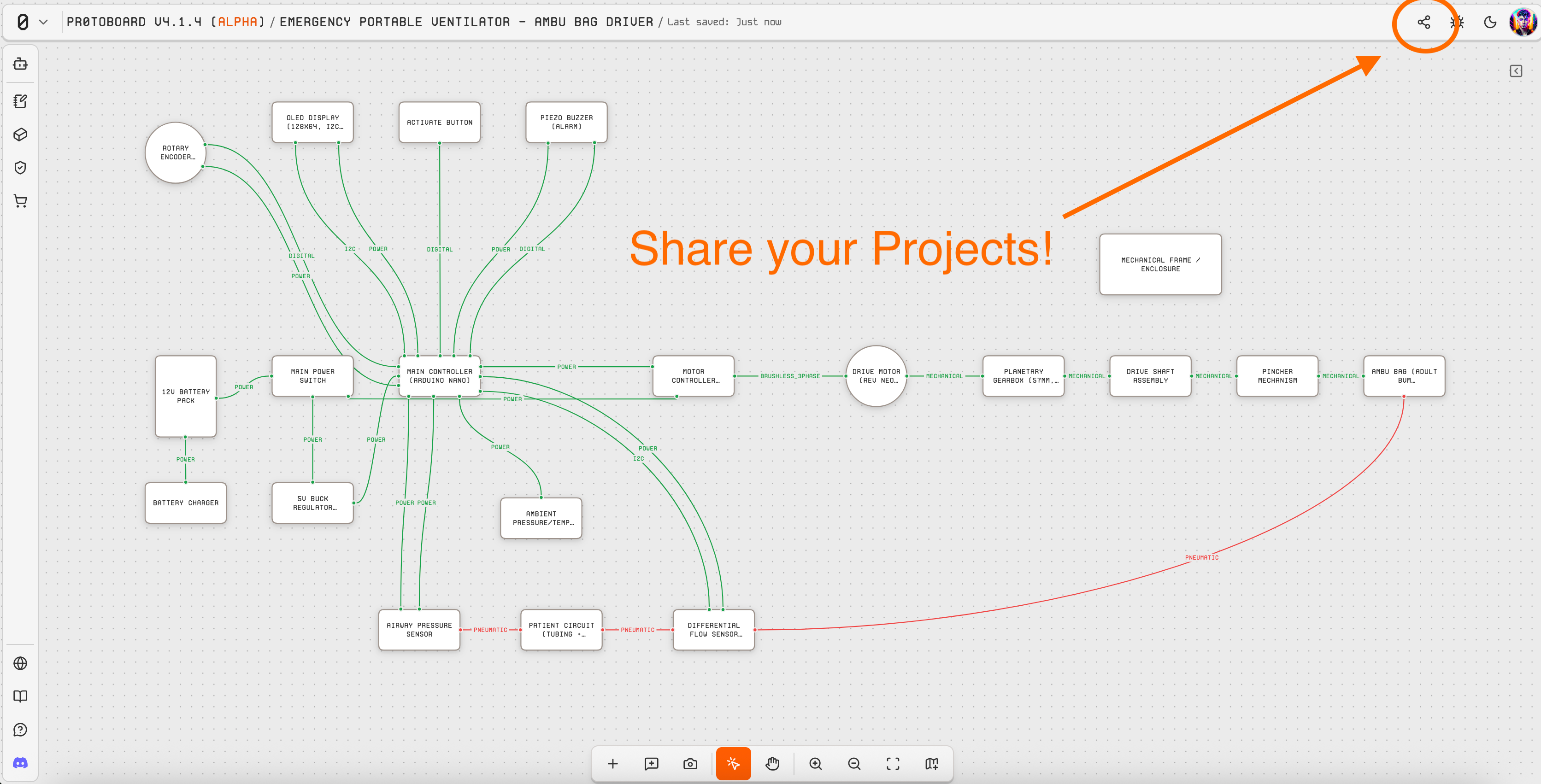
Hey Protoboard community! We're kicking off the spring with a big one — v4.2 introduces Board Review, a brand-new way to validate your designs with live design-rule checks and threaded review comments right on the canvas. We've also added Board Sharing, smarter ProtoBot layout, and a refreshed BOM experience.
New Features
Board Review: A dedicated Review tab replaces the old Validate Project form. See design-rule checks grouped by severity, add review comments with canvas navigation, and let ProtoBot help flag issues — all without leaving your board.
Board Sharing Links: Share your boards with a single click. Hit the new Share button in the header to copy a shareable link anyone can use to view your board.
Smarter ProtoBot Layouts: ProtoBot now places parts and routes harnesses much more effectively. Previous diagrams often needed manual cleanup after ProtoBot struggled with placement and routing — that's no longer the case. It plans better and draws cleaner, more appealing diagrams out of the box.
Canvas Layout Tools: A new suite of tools for organizing your board manually. Auto-route harnesses to find clean paths, arrange selected parts into tidy grid layouts, resolve overlapping parts automatically, and tidy handles to redistribute them evenly per side without changing their orientation. Available from the right-click context menu, part inspector, and harness inspector — so you can clean up your board however you prefer to work.
Improvements
Right-click context menu redesigned to match the workflows you'd expect from similar CAD apps
Multi-select parts and harnesses with Ctrl+click or Shift+click for batch layout operations
BOM refresh now walks you through changes before applying them, so you stay in control of what gets updated
Supplier verification UX is clearer, with better handling of shared pricing data across parts
Draft recovery gallery redesigned for faster access to your unsaved work on load
Bug Fixes
Fixed BOM refresh timestamps not updating correctly after a refresh
Fixed shared-price normalization issues when multiple parts reference the same supplier entry
What's Next
We're already heads-down on v4.3:
Smarter ProtoBot — Continuing to improve ProtoBot's review and design assistance so it catches more issues and gives better suggestions
Example Projects — Adding ready-made example boards to the main website so new users can explore real designs from day one
Community Parts — Continuing to grow the parts library based on your requests — keep them coming!
MCP Agent Bridge — Bring your OWN AI tools to Protoboard such as Claude Code, Codex, or Open Code (For advanced users 👨💻)
Have feedback on Board Review or Sharing? We'd love to hear it — drop us a note on Featurebase or in the discord.
March 7th, 2026
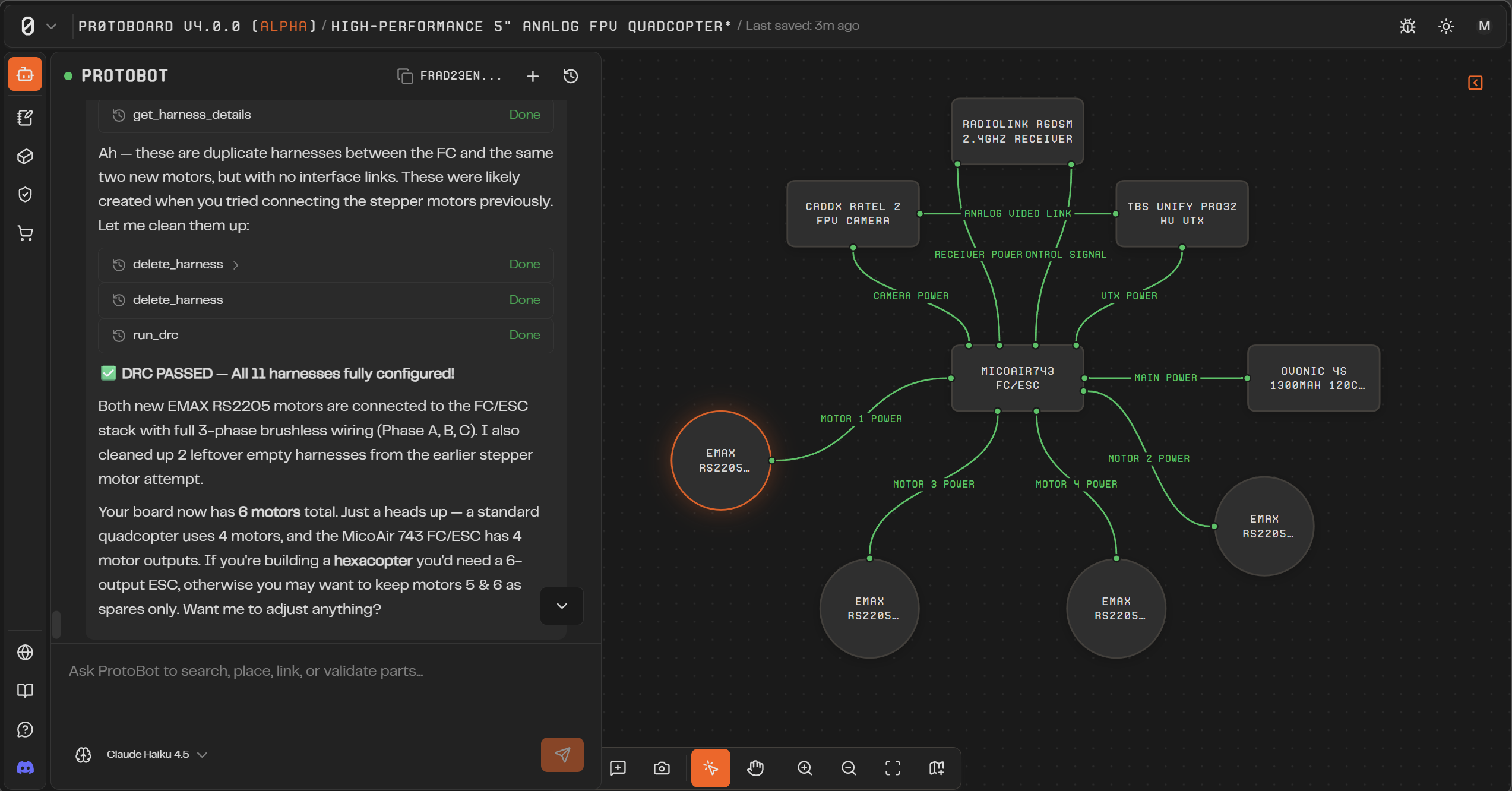
Hey Protoboard community! We're thrilled to announce Alpha v4.0 — our largest update since launch. The headline feature is Protobot, an AI agent that lives right on your canvas and helps you design boards through conversation.
This release also introduces vector-powered part search, Pro subscriptions, and dozens of quality-of-life improvements across the board editor.
Also, the alpha is NO LONGER CLOSED. You are officially invited to use the app as an Open Alpha Tester. Thank you to our testers this far that have helped us reach this critical milestone!
Try it out here → https://alpha.protoboard.xyz
New Features
Protobot AI Agent: An integrated AI assistant that can search and add parts, configure connections, plan board architecture, and generate concept images — all from a chat panel on the canvas. Protobot is board-aware, meaning it sees your current design and can make changes in context.
Web-Powered Part Discovery: Protobot can search the web for real-world parts, datasheets, and specifications — so you're not limited to what's already in the library.
Vector Part Search: The parts library now uses semantic search. Type a natural-language description and get relevant matches, even if you don't know the exact part name.
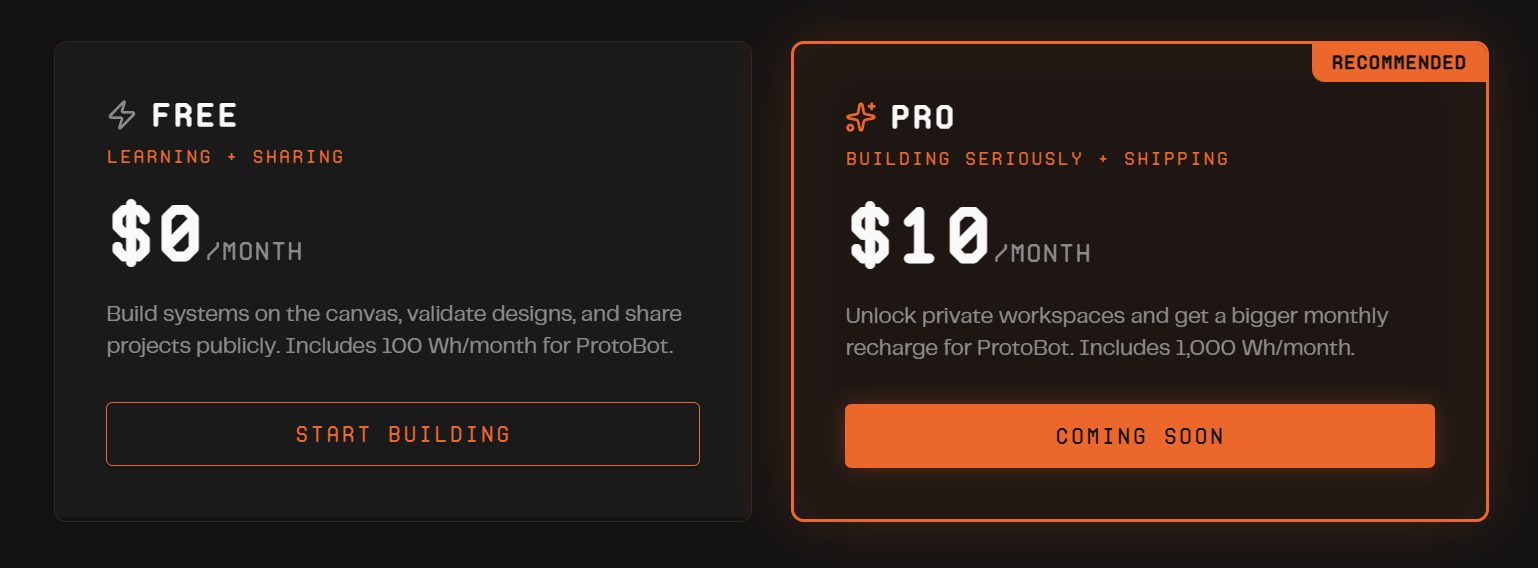
Pro Subscriptions: Protoboard Pro is here at $10/month — unlocking private projects, a private parts library, 1,000 Wh/month of Protobot energy, and a Developer Discord role. https://protoboard.xyz/pricing to get the most out of Protobot.
Copy & Paste: Select parts, connections, and groups on the canvas and duplicate them with Ctrl+C / Ctrl+V.
Autosave Draft Recovery: Board changes are now continuously backed up locally. If your browser closes unexpectedly, your work is recovered automatically on next load.
Improvements
Upgraded our email system — you'll now receive emails for important account updates, subscription changes, and more
Simplified sign-up — removed the activation code requirement for new accounts
Improved UI contrast and theme handling across the app
Bug Fixes
Fixed harness and note edges disappearing after certain operations
Fixed annotation edge visual bugs
Fixed zoom level not persisting when switching between BOM and Canvas views
Fixed copy/paste reliability in certain edge cases
Fixed resource allocation options in the part inspector
What's Next
We're already working on Alpha v4.1, targeted for later this month. Here's what's coming:
Part library overhaul — thumbnail images on every part card, richer metadata, taxonomy-based category browsing, and relevance-based sorting so you find parts faster
Visual polish — refined annotation edges, improved canvas styling, and a Tailwind 4 upgrade for a cleaner look throughout the app
Cloud projects — transitioning boards from local-only to cloud storage, with public share links so you can send your designs to anyone
Upgrade to Pro in the settings tab of the alpha app to get the most out of Protobot, and as always — we'd love to hear your feedback!
February 11th, 2026
Alpha
Hey Protoboard community! We're excited to announce Alpha v3.0, our biggest update yet. This release focuses on giving you more control over your workflow with full undo/redo support, a comprehensive user profile system, and a refreshed look across the entire application.
If you are seeing this email and have not received an alpha activation code, this should be sent to you shortly. Thank you for your patience while we have been building this app!
Version 3.0 introduces a UI overhaul with a much more refined visual style throughout Protoboard. The interface has been polished with improved spacing, cleaner typography, updated color treatments, and more consistent component styling—making the app feel more professional and easier to navigate.
We've also built a complete Undo/Redo system on a command pattern architecture. Every action you take on the canvas—adding parts, creating connections, configuring interfaces, moving components—can now be reversed with Ctrl+Z and restored with Ctrl+Shift+Z. This means you can experiment freely without fear of losing work.
Finally, the new User Profile system lets you manage your account, customize notification preferences, and track your usage—all from a unified settings dialog. In the upcoming ProtoBot update, you will also be able to upgrade your plan or add credits.
New Features
UI Overhaul: Refreshed visual design across the entire application with improved spacing, refined typography, updated colors, and more consistent component styling for a cleaner, more professional experience.
Undo/Redo System: Full history management for all board operations including part placement, movement, deletion, interface creation, function links, harness allocations, and property changes. Use Ctrl+Z to undo and Ctrl+Shift+Z to redo.
User Profile Settings: New settings dialog with profile management, avatar upload with crop tool, company information, and social links.
Notification Preferences: Control which emails you receive from Protoboard, with easy unsubscribe options.
Security Settings: Manage your account security including password changes and account deletion.
Plan & Usage Tracking: View your current plan, see dollar-based AI usage in real-time (Cursor-style), and manage your subscription.
Editable BOM Fields: Override BOM fields with custom pricing and supplier links. Add multiple purchasing sources per part, and create your own source records directly from the BOM table.
Improved BOM PDF Export: Completely redesigned PDF export using ReactPDF that mirrors the in-app BOM UI with better formatting and professional styling.
Welcome Emails: New users now receive a welcome email when they create their account.
Bug Fixes
Fixed multi-node drag creating duplicate undo entries
Fixed handle cleanup on part/harness deletion and edge re-rendering
Fixed interface link restoration on undo operations
Fixed no-op commands causing false corruption detection
Fixed activation code not setting admin timestamps correctly
Fixed profile avatar not resetting on sign-out
Fixed Google sign-in to use entered email as login hint
Fixed password reset flow to actually send the email
Fixed activation code race condition in validateCohort
Fixed capacity calculation when interface definitions are missing
Upcoming Features
ProtoBot AI Assistant: We're putting the finishing touches on ProtoBot, an AI-powered assistant that will help you design boards faster. ProtoBot will be able to:
Search the part library and add parts to your board
Configure connections between parts
Find and add BOM pricing from the web
View compatibility and capacity status of your connections
Help you plan your board architecture through conversation
Here is a sneak peek → YouTube - AI can now Build your Hardware Projects!
ProtoBot is currently in review and will be available in Alpha v3.1. Stay tuned!
December 25th, 2025
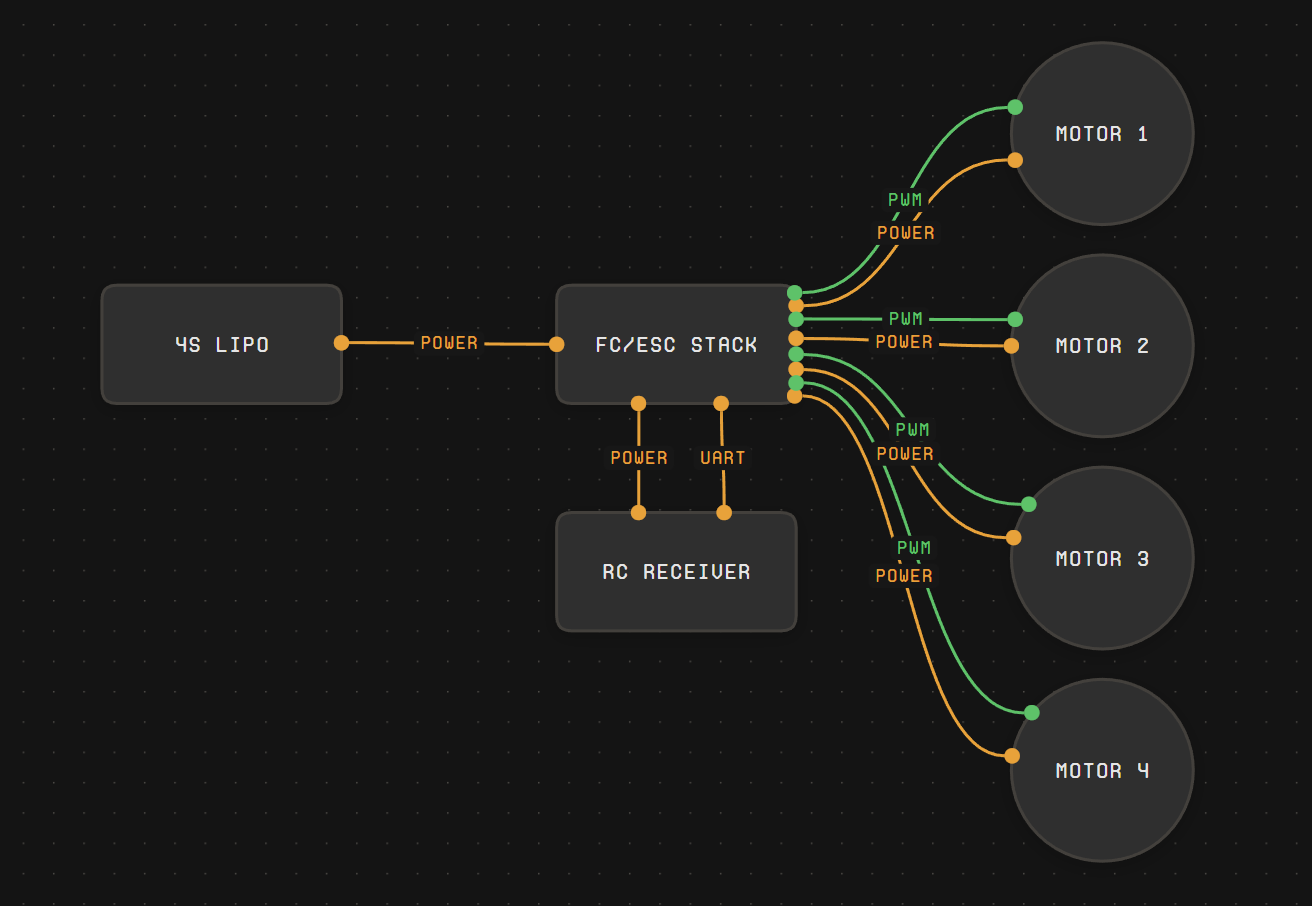
Merry Christmas, Protoboard community! We’ve been hard at work on Protoboard Alpha, and we’re excited to ship a major canvas upgrade focused on making your boards clearer and more expressive.
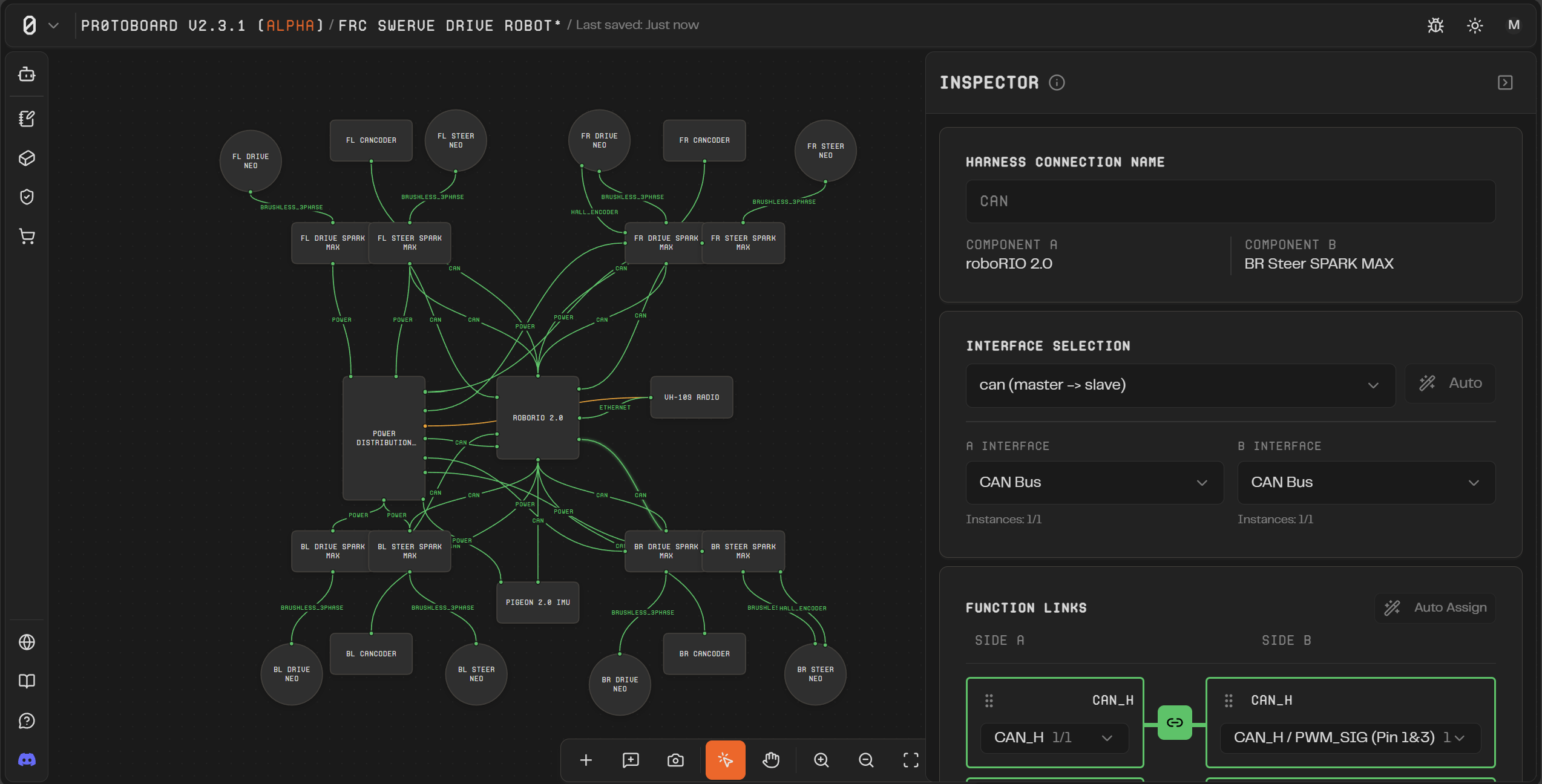
Version 2.3.1 introduces Custom Part Geometry, which means parts can finally have real outline shapes instead of all feeling like the same generic rectangle. This makes it easier to visually distinguish parts at a glance, and it makes connections behave more naturally on curved and irregular shapes.
Under the hood, this builds on ProtoPart templates: each template can define an outline using a preset (like a circle) or a custom polyline outline (your own points, optional curved “bulge” segments, and optional corner rounding). Protoboard measures that outline to size the node correctly, and uses it for interaction so handles appear where you expect—on the outline itself.
We’d love your feedback: does Custom Part Geometry make your boards easier to read and connect? What shapes should we prioritize for the library, and what authoring tools would help you most?
New Features
“Part Geometry” shapes: defaults of “rounded rectangle”, “rectangle”, and “circle”.
Custom Part Geometry (SVG Outlines): Parts can render using true outline shapes (presets or custom polylines), including curved bulge segments and optional corner rounding—so parts can look more like what they represent.
Outline-Aware Handles: Hover and drag handles now project to the nearest point on the part’s outline (not just the bounding box), which makes connecting to circles/curves/irregular shapes feel far more natural.
Bug Fixes
Fixed a bug where certain UI views would display “Untitled” for part names instead of their actual name.
December 1st, 2025
Hello Protoboard community! We hope you had a happy Thanksgiving (if you believe in turkeys that is)! Here in Texas, we ate some juicy turkey, stuffing, sliced ham, green bean casserole, rolls, and many other tasty dishes and desserts.
Other than stuffing ourselves with family recipes, we have been super busy serving up the latest version of Protoboard Alpha, and we are excited to announce that version 2.3 introduces many quality-of-life updates that should make building hardware systems inside Protoboard much easier for the developer-minded user.
We have a growing library of components and many of you requested the ability to add custom parts yourself. Under the hood, Protoboard uses a custom language for parts called “ProtoPart” that we are making more transparent and editable inside the app. We have some documentation on our Github: https://github.com/Delta-Robotics-Inc/ProtoPart and will release better information about how to write new parts in your projects and even request to add them to the community library for everyone to use!
If you are not so inclined to write ProtoParts, we also added some simple features for controlling the names of parts and their connections so that you can model parts and interfaces that we don’t support quite yet.
We need your feedback on Protoboard in its current state. How does it help you plan out your next hardware project? Do you need more parts, enhanced visuals, a more powerful validation engine, or what else would help make Protoboard a perfect hardware planning companion? Tell us on discord or here on FeatureBase!
New Features
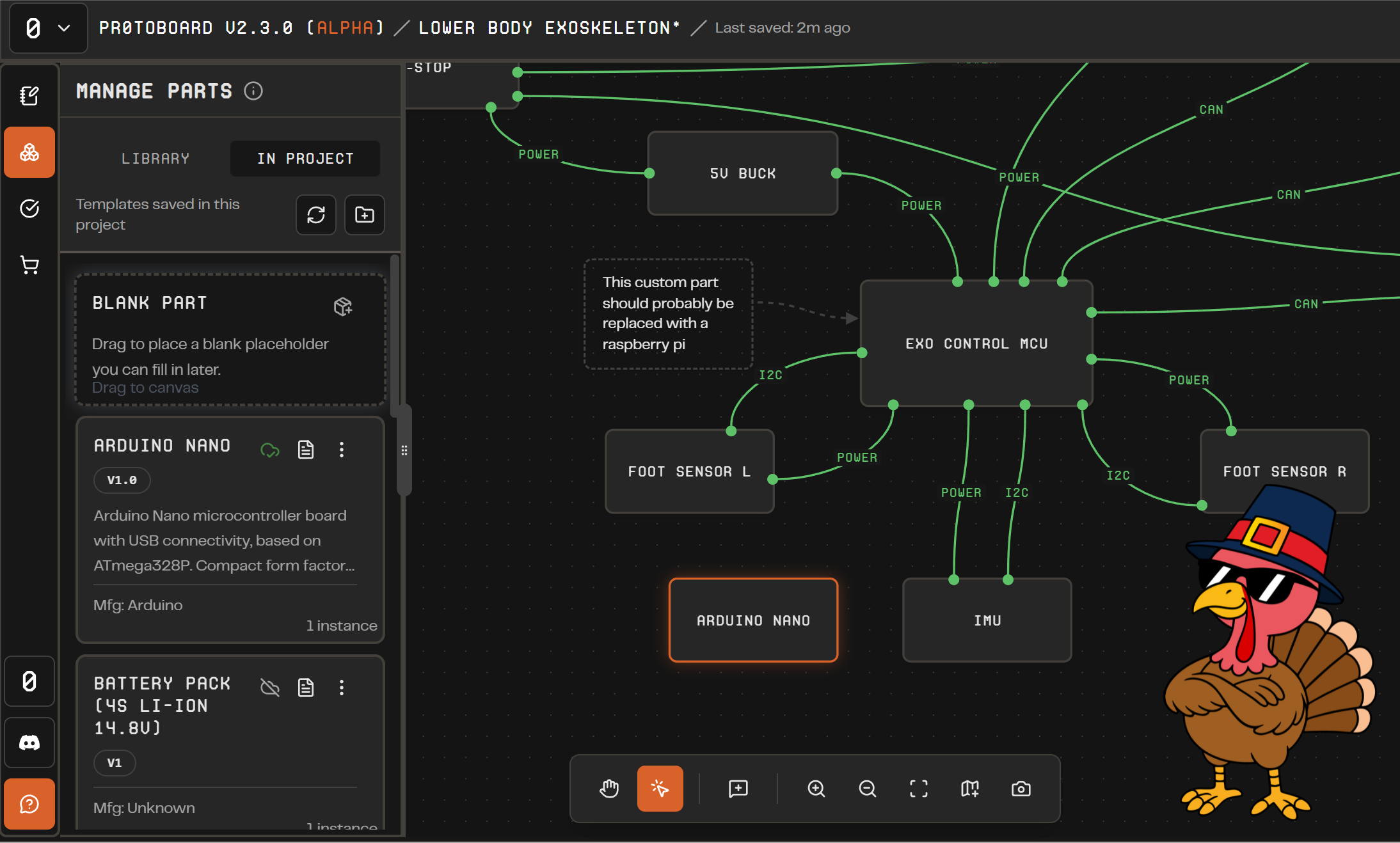
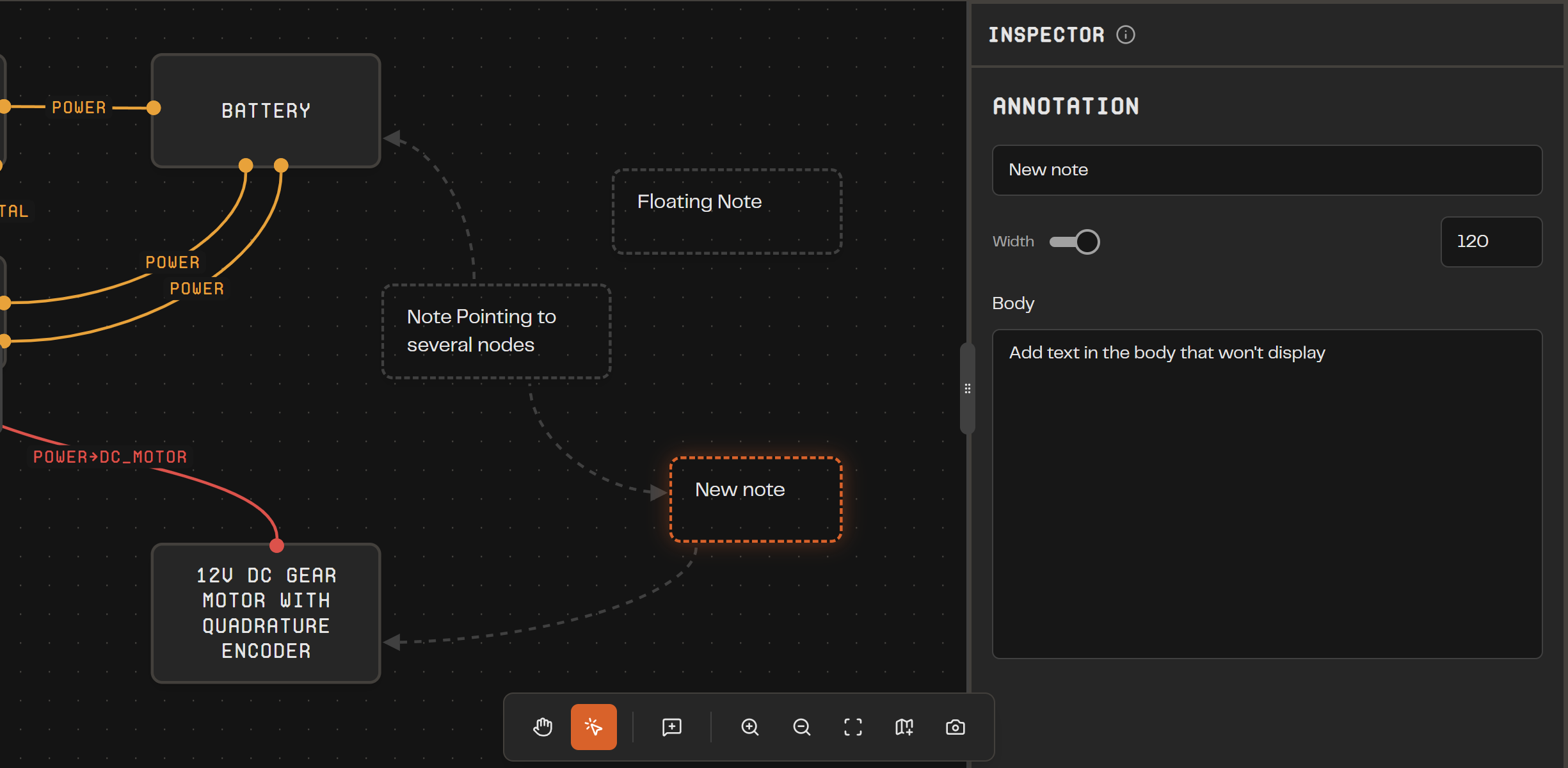
Annotations & Notes: Add sticky comments with leaders on the canvas, link notes to parts, and edit them in the new Annotation Inspector.
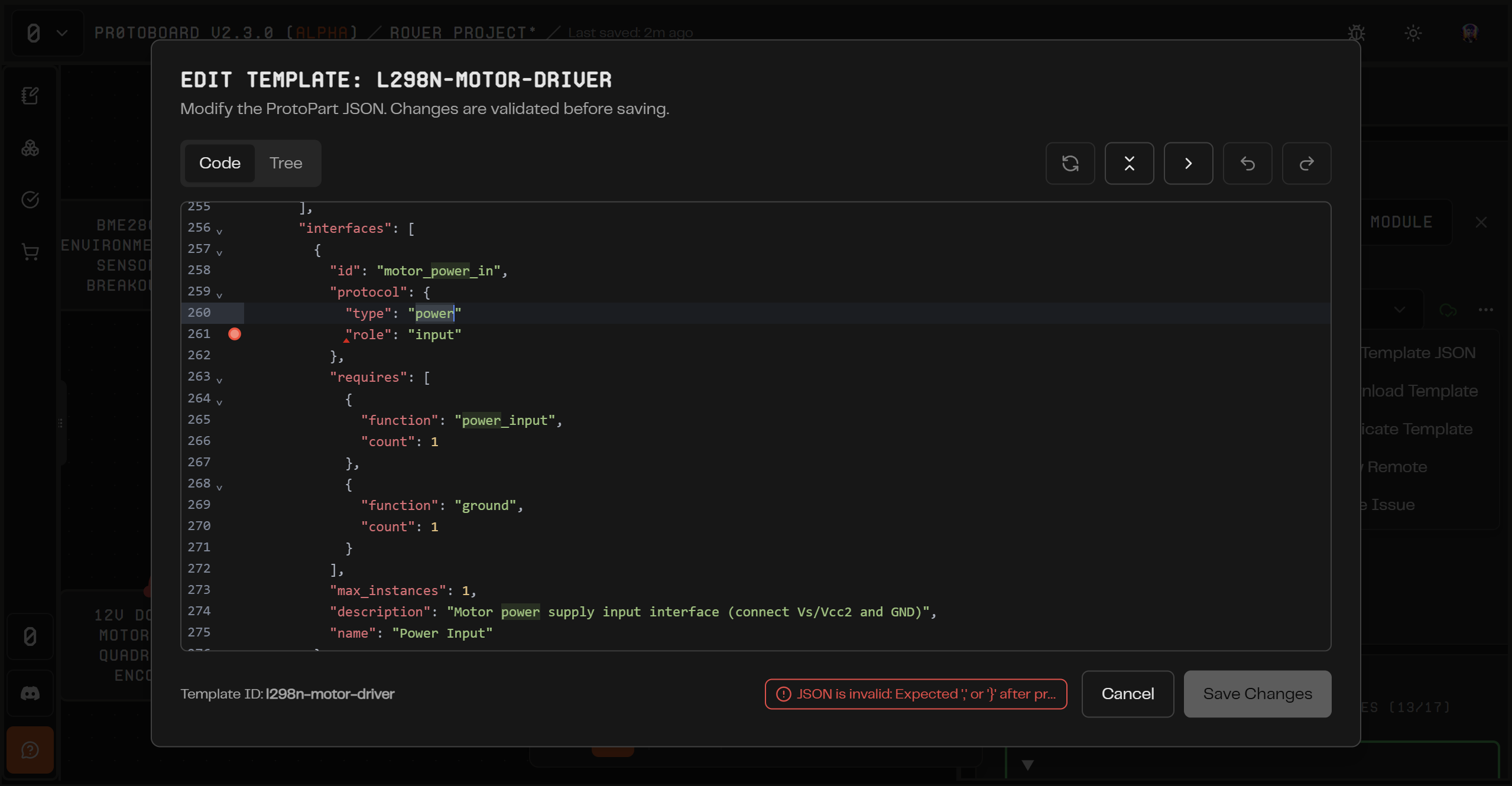
Template Library & Code Viewer: Browse both "Library" and "In Project" templates, open any part's ProtoPart JSON source, and pull official updates or work locally. Linked vs. local status is always shown.
Custom Parts via ProtoPart JSON: Create your own parts in-app using the ProtoPart schema (https://github.com/Delta-Robotics-Inc/ProtoPart), import/export as JSON, and preview templates before placing them.
Smarter Harnesses: Name harnesses yourself or let Protoboard auto-name from the interface; harness edges now show friendly display names.
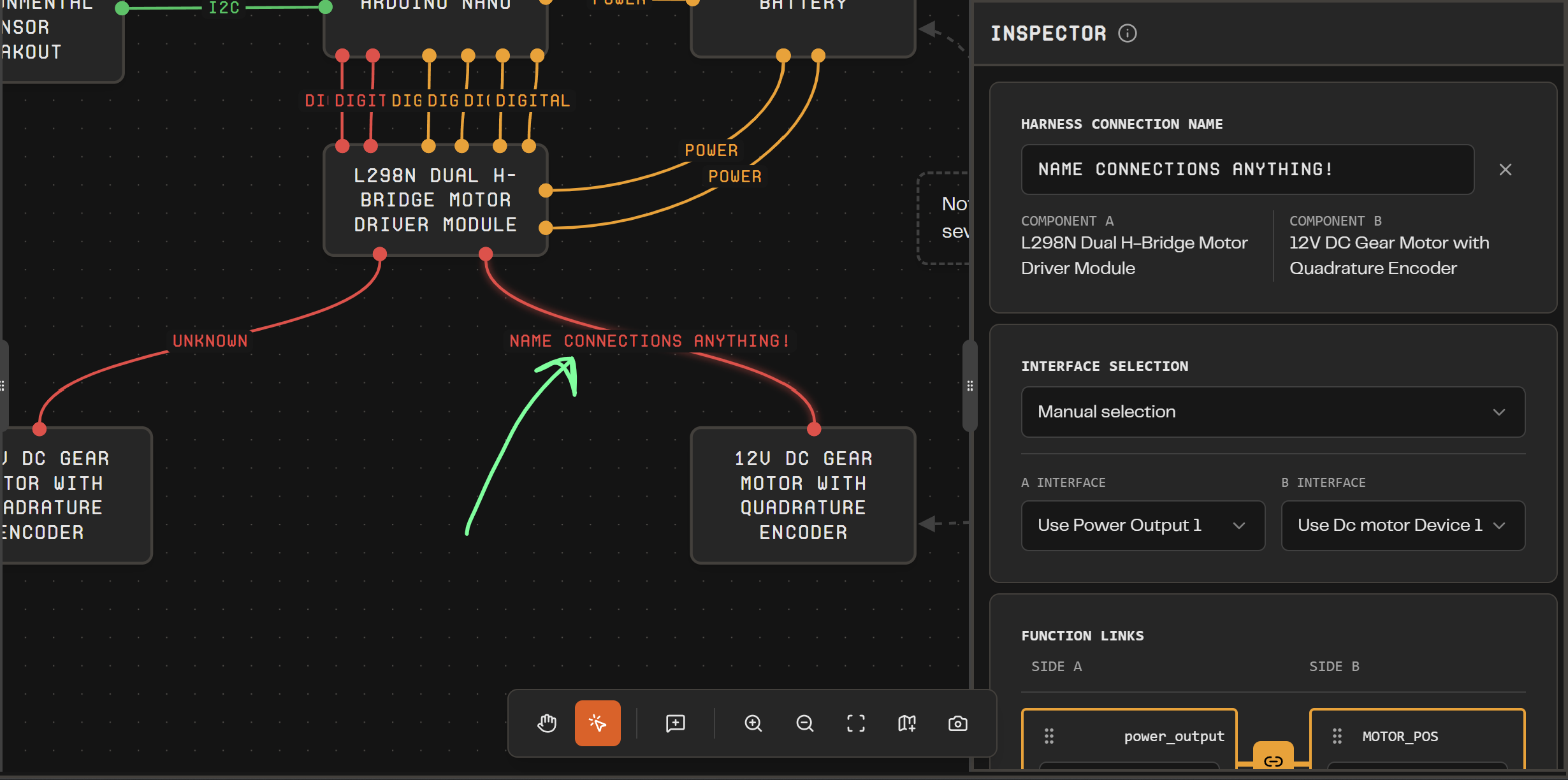
Swapping Templates: You can change the template type for parts on your board with a simple dropdown, and we have a nice UI flow that helps you migrate the part’s existing interfaces to the new template.
Faster Part Setup: "Add blank" and "Request part" live in the library list and loading states for parts make placements clearer.
Improvements
Canvas polish with annotation and note-edge types, better zoom defaults, and refreshed orange theming.
Refined template cards and action menus with status badges, version info, and variant/details at a glance.
Project flows now support pasting JSON directly to open a project; header and shell remember layout choices and show selection context.
Pulling official templates is faster with reduced authentication friction.
Bug Fixes
"Add Your First Part" no longer blocks part placement.
Next Steps
We will focus on documenting how to build systems with Protoboard, as the app now supports both basic and complicated workflows and we need help deciding on the future direction of Protoboard!
Coming soon: Custom part shapes (make the motor look like a motor), undo/redo/copy-paste, and manual price/source fields for BOMs.
Further Out: Protoboard is getting closer to being ready for an AI agentic integration to handle writing custom components for you, processing datasheets, and helping evaluate your project using our compatibility system and internet tools. We really believe that AI when combined with a powerful systems engineering engine like Protoboard will be the ultimate hardware design companion for beginners and professionals alike!
November 6th, 2025
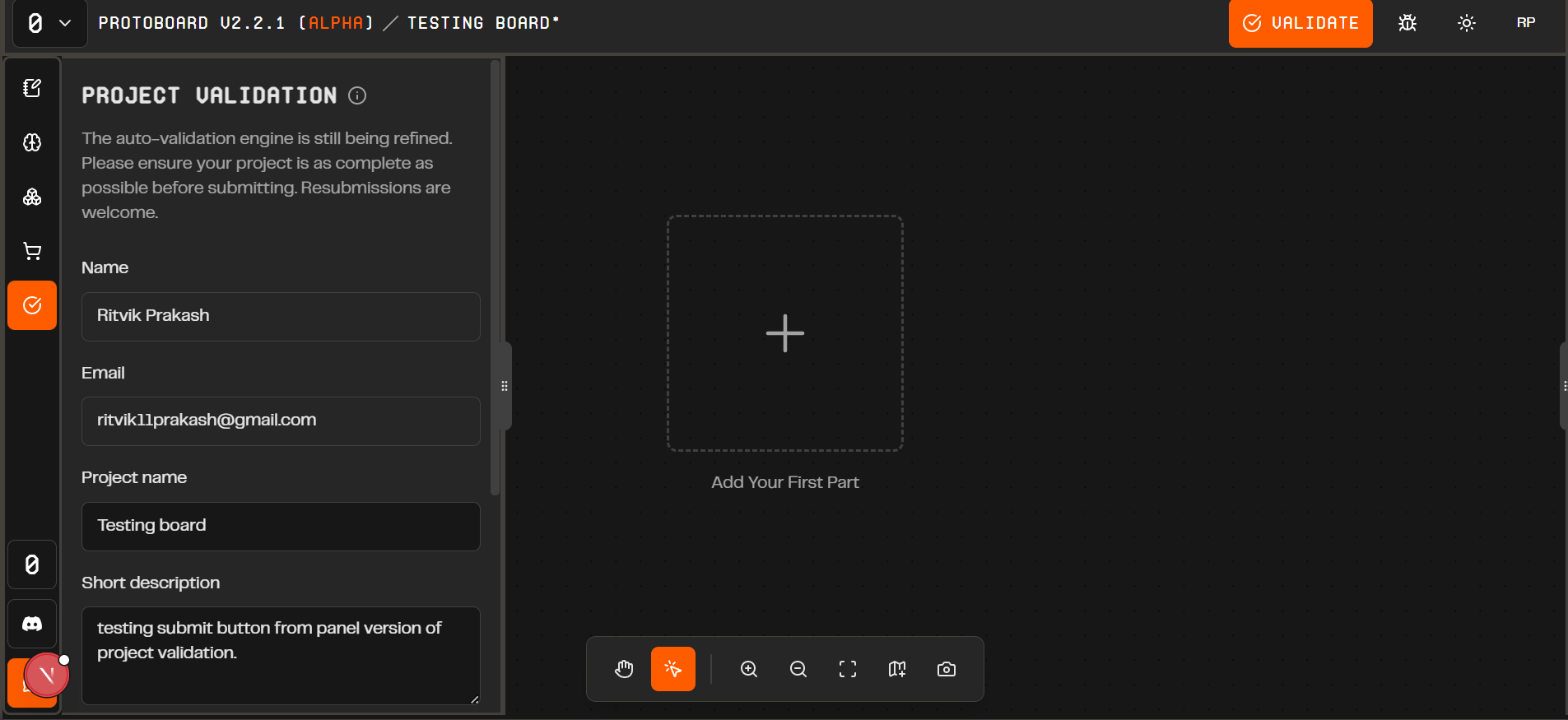
This version fixes major BOM-related bugs:
All in-project protoparts now load successfully when opening boards
Parts with unknown prices show "-" instead of “?”
More stable BOM generation and export functionality
Introduces a persistent validation panel in the left sidebar:
No need to click the navbar validate button
Submit project validations directly from the sidebar
All validation features work identically to the former navbar button
Here are some technical improvements this version introduces:
Centralized validation state management
Reduced code duplication
Better error handling and user feedback
Improved data persistence
October 28th, 2025
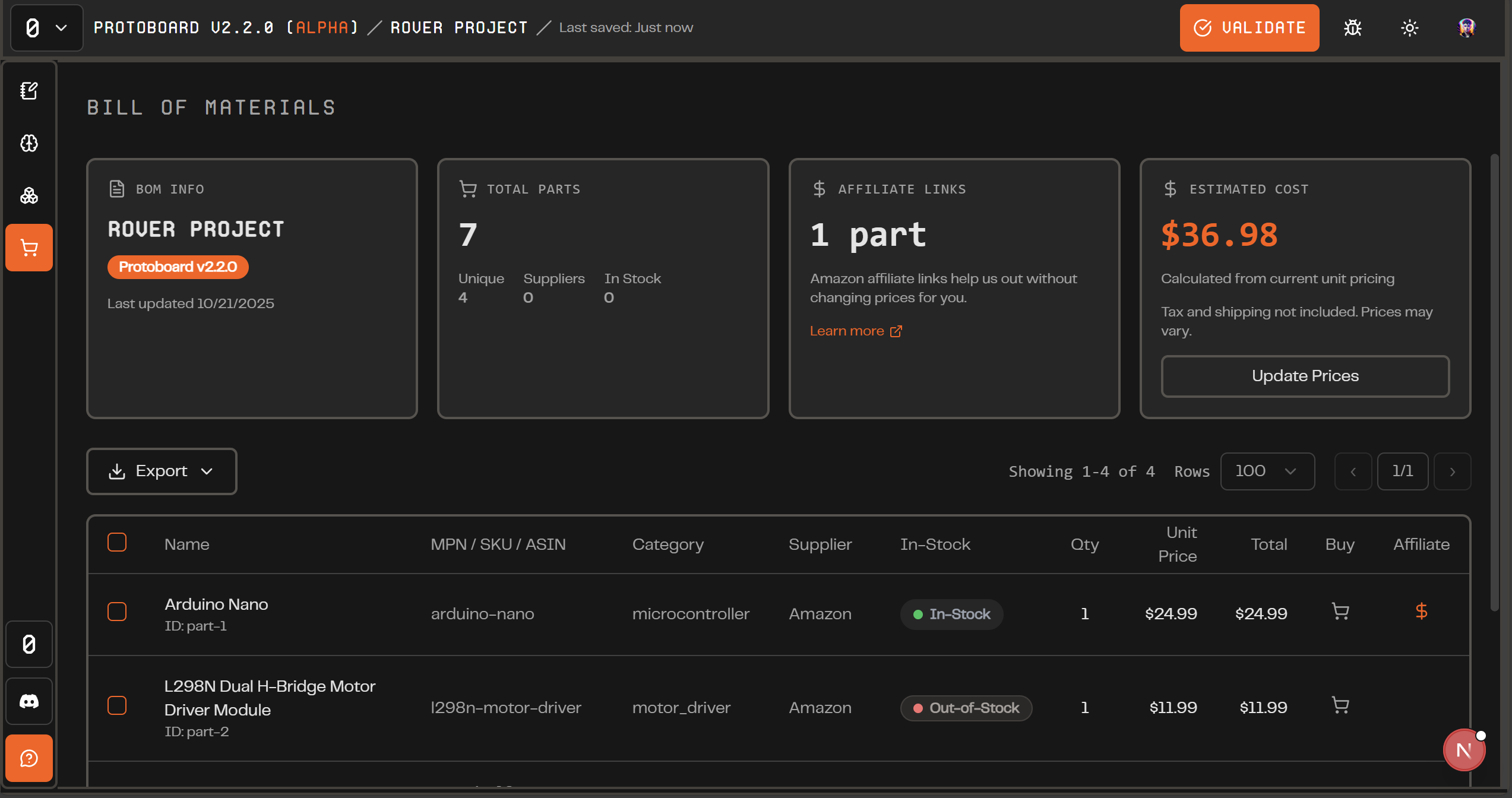
In this version, we bring you a new Bill of Materials view to export your project after you design it! You can export a parts list and now a screenshot of your diagrams. We are also excited to debut a new sign in flow for alpha.
New Features
Bill of Materials: You can now export your entire parts list as a CSV or PDF. Each row includes Name, MPN/SKU/ASIN, Category, Supplier, In-Stock status, Quantity, Unit Price, and Total—complete with vendor links and live pricing when available.
Screenshot Tool: One click captures your entire board. Perfect for documentation, sharing progress, or explaining how a design fits together—no more third-party screenshots.
Sign in Improvements: We rebuilt the entire authentication system. Protoboard now runs alpha testing in batches, each with a unique activation code to access the latest features. The new flow is simple: email → code → enter (or sign up).
“Add first Part” UI Update: A friendly new button appears when your board is empty, guiding you straight to the Part Bin to add your first component and start building faster.
Bug Fixes
Some of the UI colors have been fixed to align with our theming properly
Next Steps
We see a gap in our ability to represent all parts that can exist, so we are making some updates that will allow our users to add custom parts more easily and manually represent their system without needing to rely on our smart Protopart definitions, which are limited to <60 parts. We hope that soon every system diagram will be representable in Protoboard, even if we do not have the parts in the library with full support for you to manually configure connections, pins, BOM info, etc.
October 28th, 2025
BUGFIX: Improved function-linking panel in Part Inspector: Resource allocation to interface functions now populate properly.
October 19th, 2025
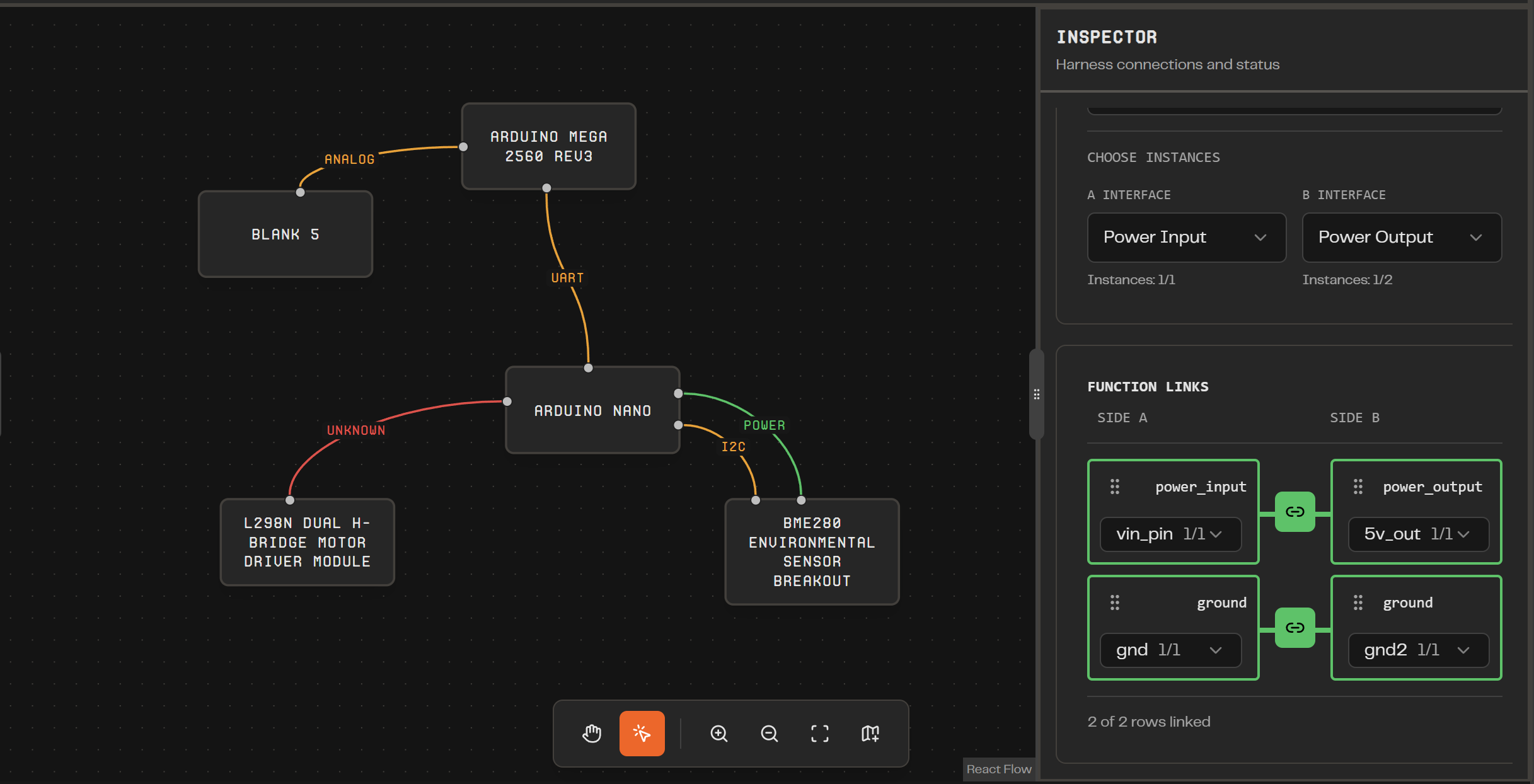
In this version, harnesses now have useful labels and only carry a single interface for simplicity. The Harness Inspector has been overhauled with a much better flow for connecting the parts on your board. Finally, a project planning view has been added to the left sidebar.
New Features:
Simplified Harnesses: In previous versions of the app, each line could represent essentially everything about a connection between 2 devices (power, data, mounting, anything)! We have simplified these lines, called “harnesses” to be limited to a single purpose. This purpose can still contain multiple wires (think power being positive and negative) but all the wires are contributing to the same “interface” between parts.
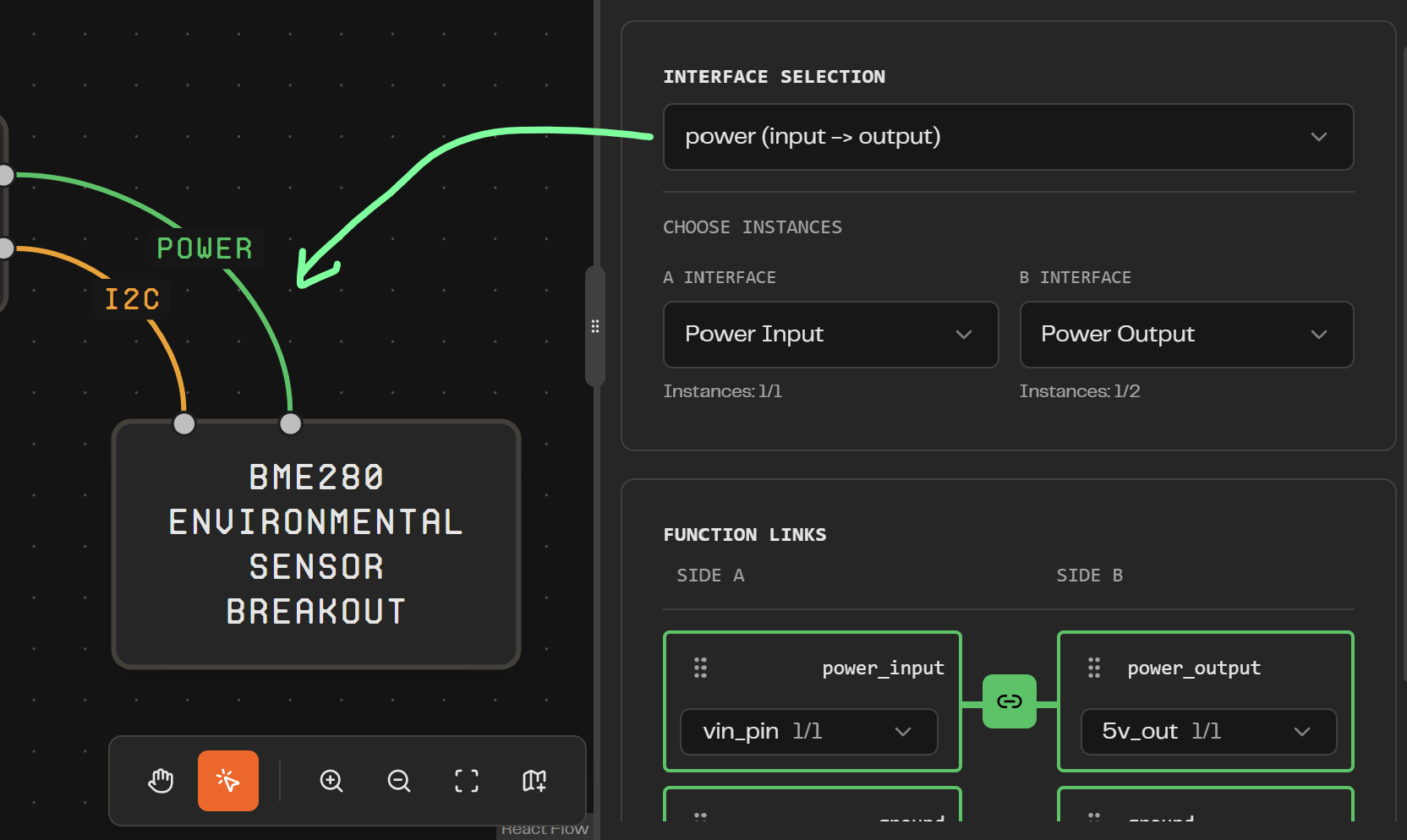
Labeled Harness: Now that harnesses contain only one function, they also have been given a visual update. There is a simple text label on each line in the diagram, greatly enhancing the readability of your diagrams.
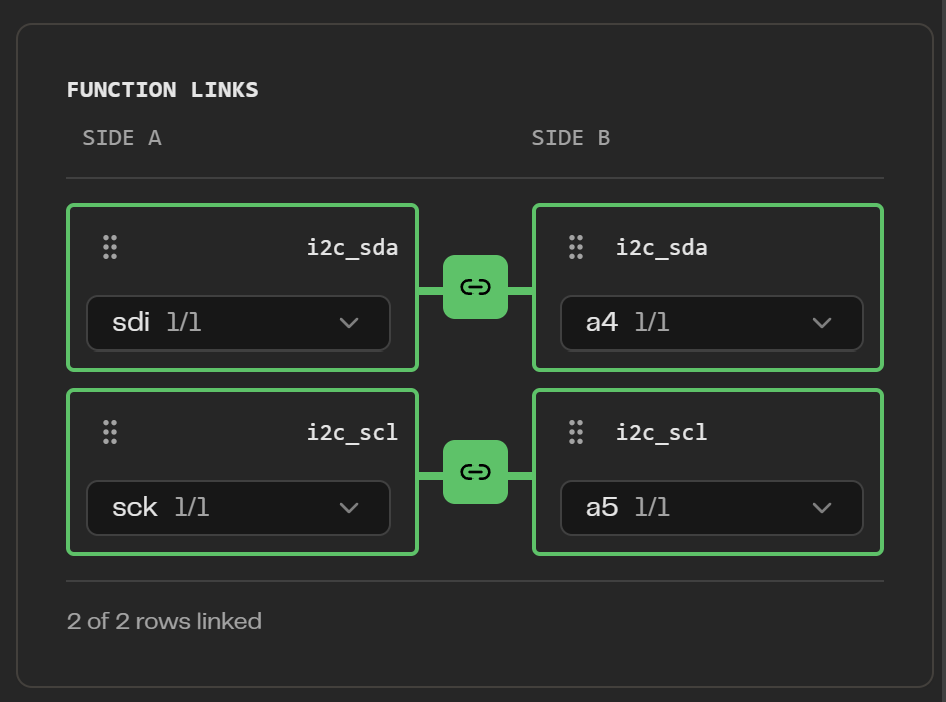
Individual Function Pairing: As stated above, harnesses can carry multiple functioned wires that contribute to the same interface. There is now a visual update which allows you to choose which wires/functions within that harness can be linked together.
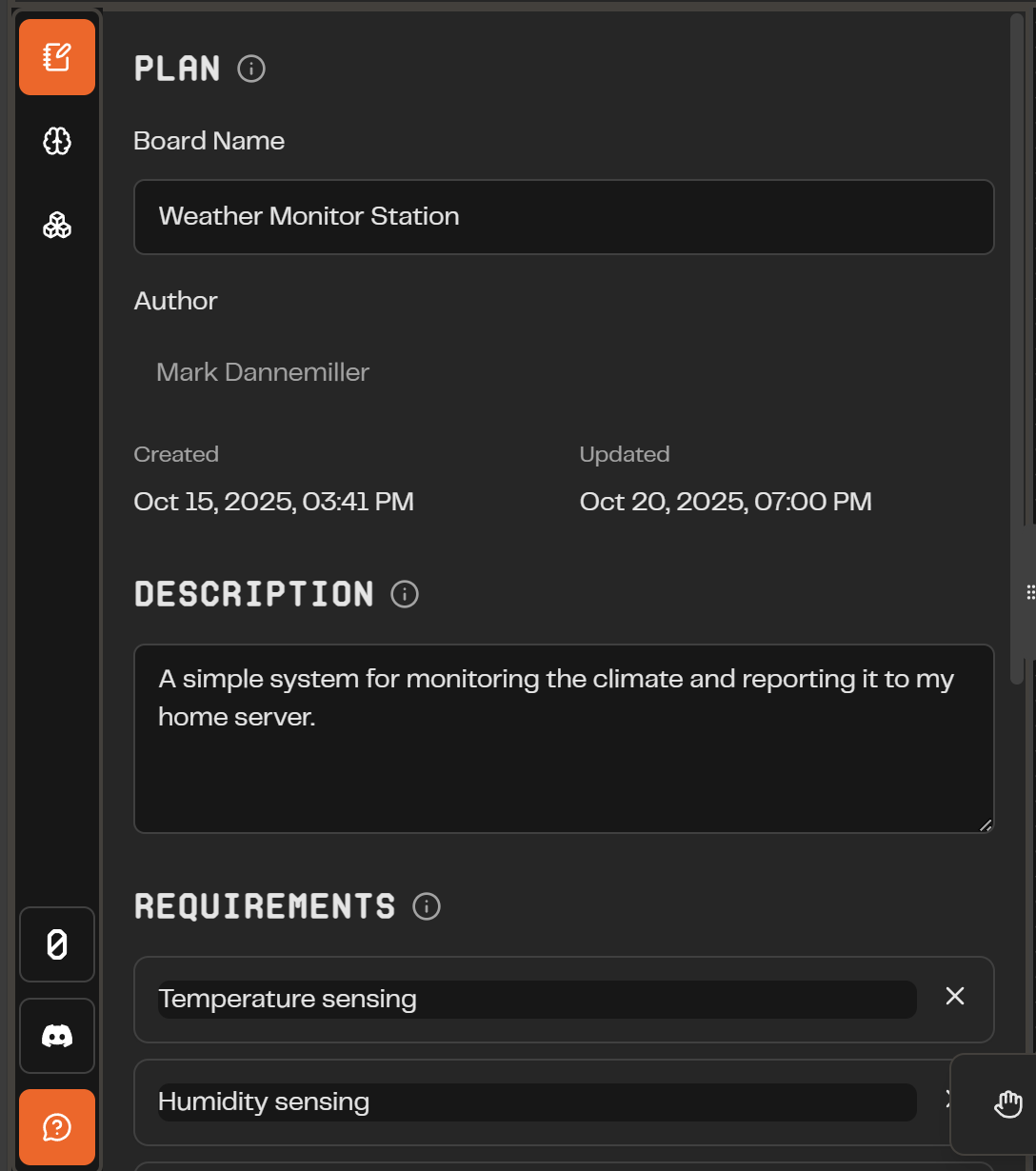
Board Plan Tab: We are focusing Protoboard’s features toward a multi-step process that takes your idea from plan to design to ordered prototype. The left menu is being developed to support this experience, starting with the Plan tab. Here, you can name, describe, and add requirements that need to be fulfilled for your project to work. In the future, you can work with team members our AI assistant (in development) to create a solid plan and verify that your project meets your design goals.
UI Improvements: We completed some general UI improvements, including light mode and menu visual changes.
Future Features in Development:
Bill of Materials: As a part of the prototyping workflow, we want to offer you the ability to export your parts list with calculated prices and links for purchase.
Image Export: A simple tool for creating a screenshot of your diagram to use in other programs or share with others.
Harness Visual Improvements: We are working on an even more robust visualization of connections between parts, including visualizing every wire but still retaining the “single connection” experience.
Custom Part Geometry: Instead of simply having the option of rectangles for every part, we are working on a way for custom SVG shapes to be used for parts. These will be definable in part definitions and changeable in the app.
App UI Overhaul: Our app visuals and theme are getting an upgrade. Kevin’s been cooking up some new UI, and we are working on getting that implemented for v3.
DRC: We’re improving Protoboard’s ability to show you where and why your parts are incompatible, and recommendations on how to improve your design. We are building a “Design Rule Checker” and overhauling the ProtoPart definition system, with the hope of rebuilding it based on Atopile, a hardware description language.
October 15th, 2025
Fixed a bug where the “Add Blank Part” button fails to do anything. It now correctly adds a blank part to the canvas that works just as one from the library does.